 FileDesk
Growth
Running a multi-branch tax agency without losing control
A single office runs on proximity. You overhear the phone call, you see the file on the desk, you know who is handling what because you are in the room. Open a second office and every one of those informal mechanisms stops working at once — usually without anyone noticing for a few months.
What actually breaks
- The client list forks. Each office starts its own spreadsheet. Within a season they disagree, and nobody can say which is right.
- Money becomes invisible. Cash collected at a branch is recorded at the branch, in a way the owner sees weeks later, if at all.
- Logins get shared. One account, one password, used by six people across two cities. When something goes wrong there is no way to know who did it.
- Nobody owns the deadline. Both offices assume the other contacted the client. Neither did.
Centralise these three things
1. The client record
One record per client, for the whole agency, regardless of which office serves them. Not one per branch. The moment a client exists twice you have lost the ability to answer "what do we owe this person and what do they owe us?"
Deduplicate on CNIC and NTN, not on name. Names are spelled four ways; a CNIC is not.
2. The ledger
Every agreed fee, every payment, every reversal, in one append-only record. Branch staff should be able to record a payment the moment cash is handed over — from their own login, at their own counter — and the owner should see it immediately.
Append-only matters more than it sounds. If a total can be edited, a shortfall can be edited away. If every movement is an entry, the arithmetic always reconciles and disputes become checkable rather than personal.
3. Deadlines
One filing date per tax year for the whole agency, with alerts computed centrally. Each branch then sees its own outstanding returns from that shared configuration — one rule, many worklists.
Devolve these
- Day-to-day case handling. The branch that serves the client should open, progress and close its own cases.
- Its own worklist. A branch should see the work it is responsible for, not a shared queue where nothing is owned.
- Its own throughput. Opened versus completed, by month. It is the fastest way to see which office is drowning.
Give every person their own login
This is the change practices resist most and benefit from fastest. A shared account is not a convenience; it is the deliberate destruction of your ability to know anything. With individual branch accounts you get:
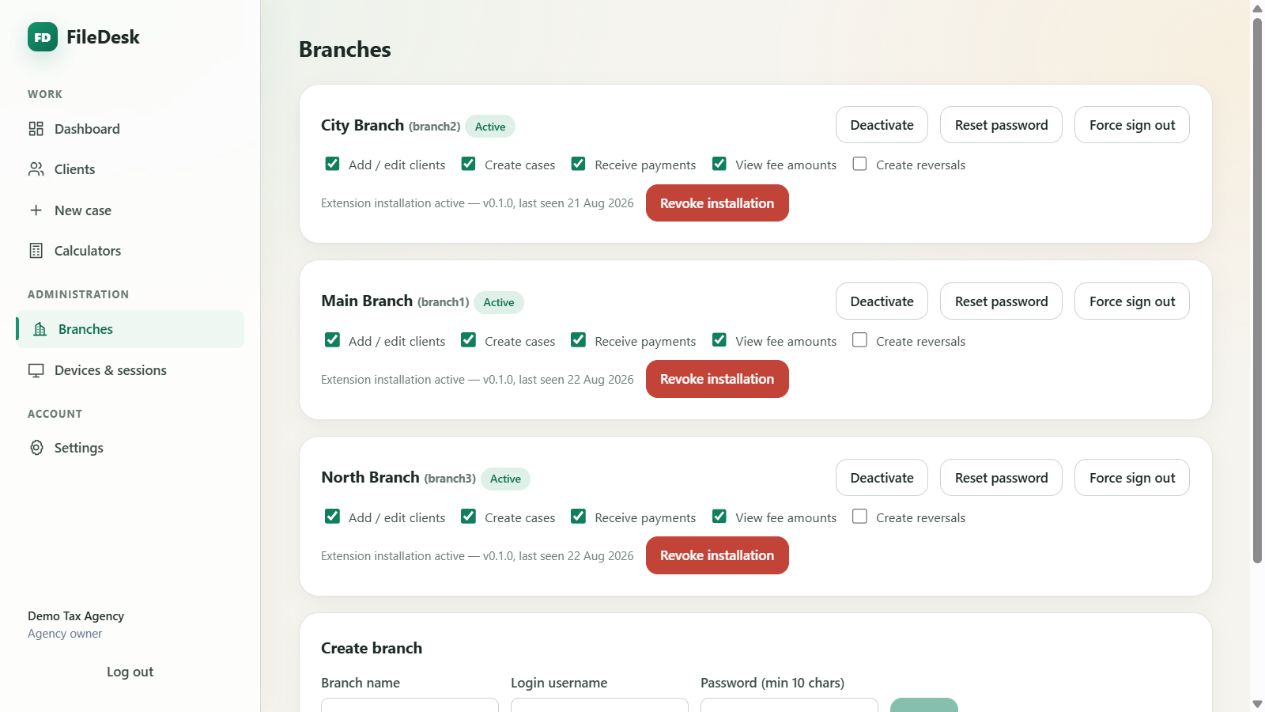
- permissions per branch — some may record payments, some may not;
- the ability to hide fee amounts entirely from an office that does not need them;
- a password reset that ends a leaver's access everywhere, immediately;
- the ability to sign one branch out of every browser without disturbing anyone else.
A firm limit on live sessions per account is worth insisting on. FileDesk allows two web devices — a phone and a desk, say — and one extension installation; a third web sign-in signs out the least recently used session, which surfaces the sharing instead of hiding it.
Ask yourself: if a branch manager resigned tomorrow, how long would it take to be certain they no longer have access to anything? In most practices the honest answer is "we could not be certain at all."
Decide what the owner alone sees
Not every number belongs on every screen. Income, collection rate and who owes the most are the owner's view. A branch needs its workload, its deadlines and its clients — and often should not see the agency's revenue at all.
Make that an explicit setting rather than an unspoken understanding, because unspoken understandings do not survive staff turnover.
Devices, if your staff use portal logins
If branch staff sign clients into tax portals, treat each machine as a registered device: one active installation per account, revocable centrally, requiring a fresh activation to move to a different computer. Then "which machines can reach our clients' credentials?" has an actual answer.
The test
You are running multiple branches properly when you can answer, in under a minute:
- How many returns are unsubmitted right now, and at which branch?
- How much money is outstanding, and who owes the oldest?
- Which staff accounts and which devices currently have access?
FileDesk is built around those three questions. Branches are unlimited, each with its own login, permissions and workload view, over one shared client list and one ledger. Ask for a walkthrough and see it on a live agency.